Software Installation and Updates: Why Professional Software Management Matters in 2026
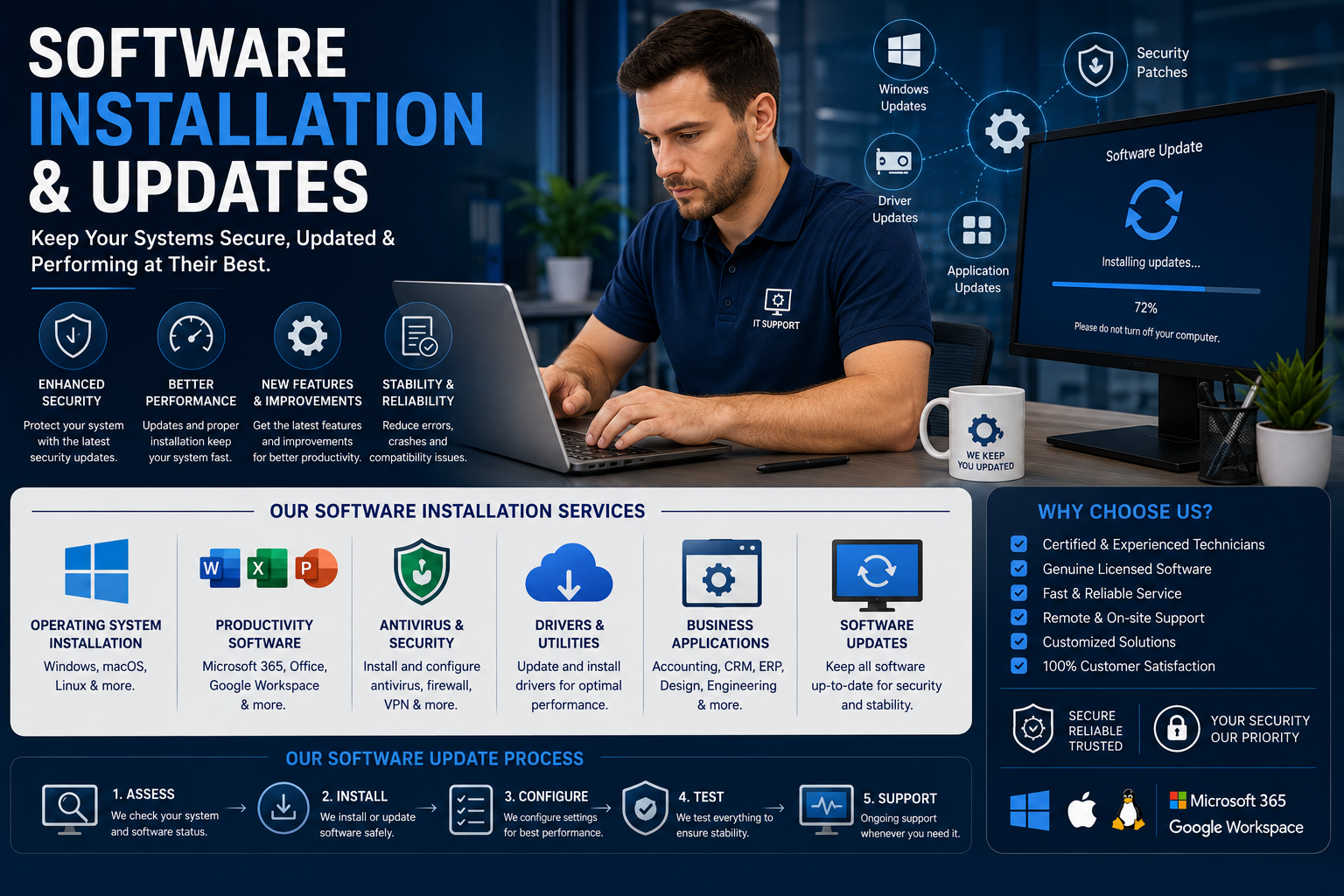
Software plays a critical role in modern business and personal computing. From operating systems and productivity tools to security applications and cloud-based platforms, properly installed and updated software helps devices run efficiently, securely, and reliably.
In 2026, businesses and individuals rely on software more than ever — making professional software installation and update services increasingly important.
Whether you need operating system installation, application setup, software troubleshooting, or regular updates, proper software management helps improve performance, strengthen security, and reduce technical issues.
In this guide, we’ll explore the importance of software installation and updates, common software services, and how professional support can help keep systems running smoothly.
What Is Software Installation?
Software installation is the process of setting up programs and applications on computers, laptops, servers, or mobile devices.
This may include:
Operating systems
Business software
Security applications
Productivity tools
Drivers and utilities
Cloud applications
Networking software
Proper installation ensures software functions correctly and integrates smoothly with existing systems.
Why Software Updates Are Important
Software updates are essential for maintaining security, compatibility, and performance.
Developers regularly release updates to:
Fix bugs
Improve security
Add new features
Improve performance
Patch vulnerabilities
Enhance compatibility
Failing to update software can expose systems to cybersecurity risks and operational problems.
Benefits of Professional Software Installation & Updates
1. Improved Security
Cybersecurity threats continue to increase every year.
Outdated software is one of the most common causes of:
Malware infections
Data breaches
Ransomware attacks
System vulnerabilities
Professional software update services help ensure:
Security patches are applied
Vulnerabilities are fixed
Antivirus software remains current
Systems stay protected
Keeping software updated is one of the most effective ways to reduce cyber risks.
2. Better System Performance
Old or improperly installed software can slow down computers and cause instability.
Professional installation and maintenance help:
Improve speed
Reduce crashes
Optimize compatibility
Eliminate unnecessary software conflicts
Updated software typically runs more efficiently and provides a smoother user experience.
3. Reduced Technical Issues
Incorrect installations can lead to:
Software errors
Driver conflicts
Crashes
Compatibility problems
Failed updates
Experienced technicians ensure software is installed correctly and configured properly for your system.
4. Access to New Features
Software developers continuously improve applications with:
New tools
Improved interfaces
Automation features
AI integration
Enhanced productivity options
Regular updates allow users to take advantage of the latest technologies and capabilities.
Common Software Installation Services
Operating System Installation
Operating systems are the foundation of any computer.
Professional installation services include:
Windows installation
macOS setup
Linux installation
System upgrades
Driver configuration
Technicians also ensure systems are optimized after installation.
Microsoft Office & Productivity Software
Businesses rely heavily on productivity applications.
Software setup may include:
Microsoft Office
Google Workspace
Adobe Creative Cloud
Accounting software
CRM systems
Project management tools
Proper configuration improves workflow efficiency.
Antivirus & Security Software Installation
Security software helps protect systems from online threats.
Common installations include:
Antivirus software
Firewall configuration
VPN setup
Endpoint security
Malware protection tools
Professional setup ensures maximum protection and proper configuration.
Business Software Installation
Modern businesses use a wide range of specialized software solutions.
Examples include:
POS systems
ERP software
Inventory management systems
Ecommerce platforms
Industry-specific applications
Professional installation minimizes downtime and integration issues.
Software Update Management
Automatic Software Updates
Many systems now support automatic updates.
Managed update services help:
Schedule updates
Monitor failures
Prevent compatibility issues
Ensure systems stay current
Businesses often use centralized update management for multiple devices.
Patch Management
Patch management focuses on applying critical security and performance updates.
This is especially important for:
Business networks
Servers
Cloud infrastructure
Remote work environments
Proper patch management reduces cybersecurity risks.
Business Benefits of Software Management
Businesses depend heavily on reliable software systems.
Professional software management helps businesses:
Improve productivity
Reduce downtime
Maintain security compliance
Protect customer data
Support remote employees
Streamline operations
Managed software services are especially important for organizations handling sensitive data.
Common Problems Caused by Outdated Software
Using outdated software can lead to:
Security vulnerabilities
Slow system performance
Crashes and freezing
Compatibility problems
Data loss risks
Reduced productivity
Many cyberattacks specifically target unpatched software vulnerabilities.
Cloud Software and SaaS Platforms
Cloud-based software continues growing rapidly in 2026.
Popular cloud platforms include:
Microsoft Office
Google Workspace
Dropbox
Salesforce
Zoom
Slack
Cloud software offers:
Remote access
Automatic updates
Improved collaboration
Scalable infrastructure
Professional setup ensures proper security and integration.
AI and Automation in Software Management
Artificial intelligence is transforming software management.
AI-powered tools now help with:
Automated updates
Predictive maintenance
Threat detection
Performance optimization
Software diagnostics
Businesses increasingly rely on automated systems to manage large IT environments efficiently.
How to Choose a Professional Software Service Provider
When selecting a software installation and update provider, consider:
Experience and certifications
Security expertise
Customer reviews
Support availability
Business software knowledge
Remote support capabilities
Reliable providers should offer both installation services and ongoing support.
Best Practices for Software Maintenance
To keep systems running smoothly:
Regularly install updates
Use licensed software
Remove unused applications
Maintain antivirus protection
Back up important data
Monitor system performance
Avoid unsupported software versions
Preventive maintenance helps avoid costly technical problems.
The Future of Software Management in 2026
Software ecosystems are becoming more automated, cloud-based, and AI-driven.
Key trends include:
AI-assisted software management
Cloud-native applications
Automated patch deployment
Zero-trust security integration
Remote software administration
Subscription-based software services
Businesses adopting modern software management strategies will benefit from stronger security and greater operational efficiency.
Final Thoughts
Professional software installation and update services help individuals and businesses maintain secure, reliable, and high-performing systems.
From operating system installation and business software setup to patch management and security updates, proper software management reduces technical problems and improves productivity.
In today’s fast-moving digital environment, outdated or poorly managed software can create major security and operational risks.
By investing in professional software installation and update services, businesses and users can stay secure, efficient, and prepared for the future of technology in 2026 and beyond.